So this site is basically to show the updates of the game we will be working on and to discuss topics. If we update a character model we will post it here or a music which is in progress!
Here is a guide to make sure things are easy to find.
- Use Categories and tags for every post while uploading.
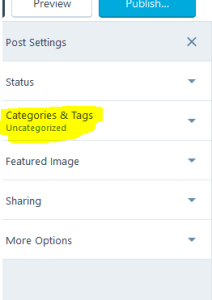
- Use the “character” category for character updates, “Sound” for sounds, and same goes for other categories
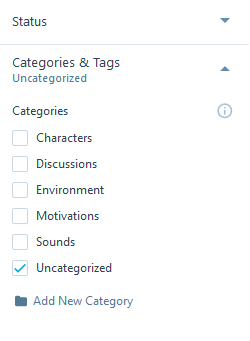
- Use tags “WIP” and “Final” for work in progress and final works.
How to Upload images?
Just go to add and select media > Add new
How to add Videos in your post?
First upload your video in youtube. After uploading press the share button and then select “embed”. Copy the code. Now in your wordpress post go to HTML tab and then paste your code. That’s it.

How to add Music/sound in your post?
https://www.sitepoint.com/4-simple-ways-add-audio-wordpress-site/
SoundCloud is a popular service created specifically for sharing music online. It’s basically YouTube for audio. You can use SoundCloud to host the audio you embed in your post.
SoundCloud makes it easy to embed their content on your own website:
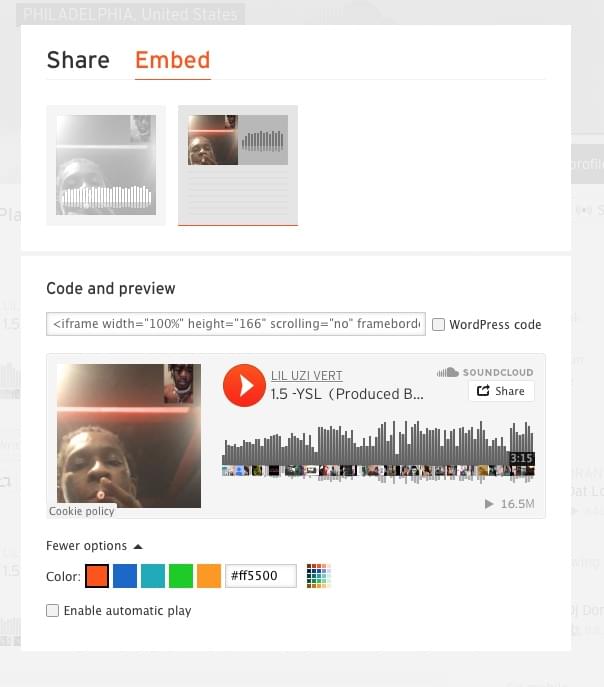
- Any audio file on SoundCloud that allows embeds will have a share button under the audio file. Press it.
- Click on
Embedand choose either the large square player or smaller rectangular one. Choose any options you require. - Copy the code and paste it into your post.
Here is the screen that’s displayed after clicking the “share” button on SoundCloud. Click on Embed at the top, and select the options you like. Do not check the “WordPress code” box unless your site is hosted at WordPress.com.
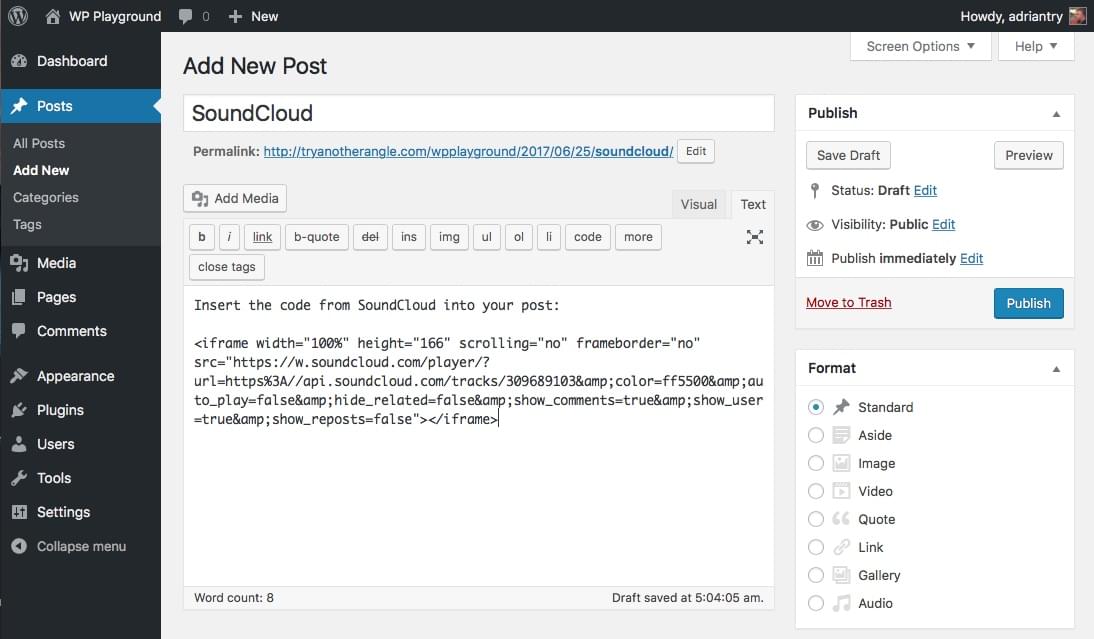
Here’s what the code looks like when pasted into your post.
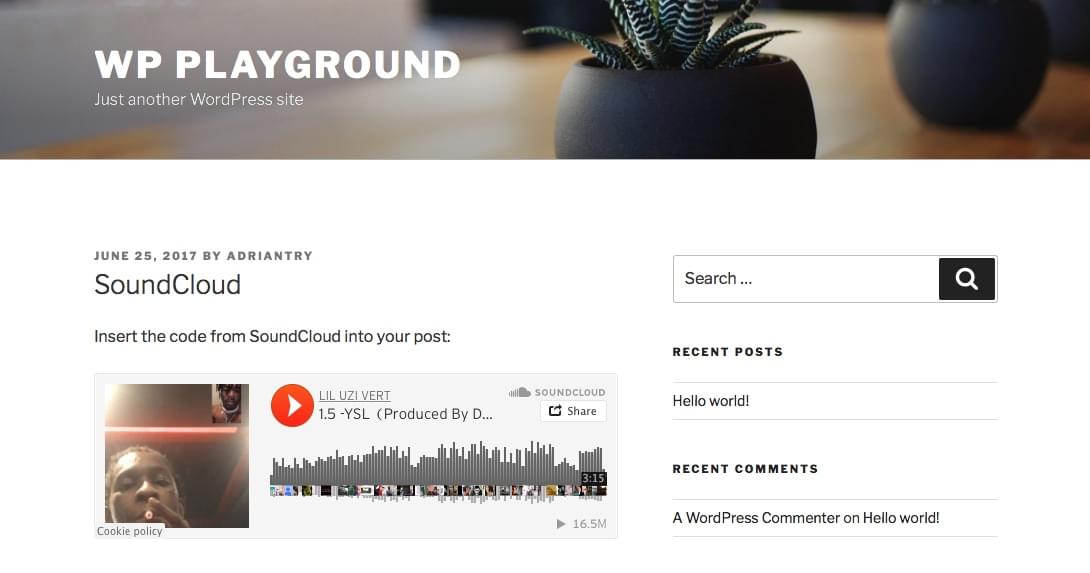
And here is what the SoundCloud player looks like once your post is live.

 Lets Make A Game!